

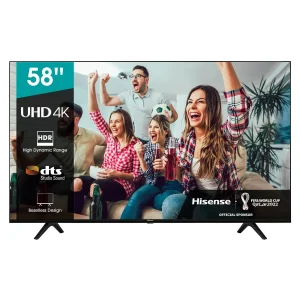
Learn how to easily connect your phone to a Hisense TV. Our guide covers screen mirroring and casting to share photos, videos, and more. Find your next Hisense TV in Tanzania here.
Have you ever wanted to share photos from your phone, stream a video from an app, or play mobile games on a bigger screen? With a Hisense Smart TV, you can! Connecting your phone to your Hisense TV is a simple and powerful feature that unlocks a new level of entertainment.
As a leading Hisense Tanzania retailer, we’re here to show you how easy it is to connect your phone and enjoy your content on the big screen.
Screen Mirroring vs. Casting: What’s the Difference?
- Screen Mirroring: This shows an exact copy of your phone’s screen on the TV. It’s great for presentations, sharing photos, or playing games. Hisense TVs often use a feature called Anyview Cast or Screen Share.
- Casting: This sends specific content (like a YouTube video or a Netflix show) to your TV, while allowing you to continue using your phone for other tasks. Many Hisense TVs have Chromecast built-in.
How to Connect Your Phone to Your Hisense TV
Here’s a simple guide to get you started. Ensure both your phone and Hisense TV are connected to the same Wi-Fi network.
For Android Phones (Screen Mirroring with Anyview Cast):
- On your Hisense TV remote, press the Input button.
- Select Anyview Cast (it may also be listed under ‘Apps’).
- On your Android phone, pull down the notification shade and find the ‘Cast’, ‘Smart View’, or ‘Screen Mirroring’ option.
- Your phone will search for devices. Select your Hisense TV from the list.
- Your phone screen will now be mirrored on your TV!
For All Phones (Casting with Chromecast):
- Open a Chromecast-enabled app on your phone (like YouTube, Netflix, or Google Photos).
- Tap the Cast icon (it looks like a rectangle with a Wi-Fi symbol in the corner).
- Select your Hisense TV from the list of available devices.
- The content will begin playing on your TV.
Where to Find the Best Hisense TVs?
To enjoy these seamless connectivity features, you need a genuine Hisense Smart TV. The best place to find one in Tanzania is at the Hisense showroom of an authorised dealer like Hisense-Extra.co.tz.
Conclusion
Connecting your phone to your Hisense TV is a fantastic way to share content and enhance your entertainment. Whether you’re mirroring your screen or casting a video, the process is quick and user-friendly.
Discover our range of Smart Hisense TVs at www.hisense-extra.co.tz and start sharing today!