

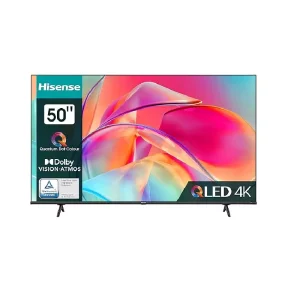
How to Connect Bluetooth Devices to Your Hisense TV in Tanzania
Want to connect headphones or a speaker to your Hisense TV? Our simple guide shows you how to use Bluetooth on your Hisense Smart TV. Shop for yours at Hisense-Extra.co.tz.
One of the most common questions we get at our Hisense showroom is, “Can my Hisense TV connect to Bluetooth?” The great news is that most modern Hisense Smart TVs come with built-in Bluetooth, allowing you to easily connect a range of wireless devices for a more immersive audio experience.
Whether you want to watch a late-night movie with wireless headphones or connect a soundbar for booming audio, this guide will show you how.
What Can You Connect?
You can connect several types of Bluetooth devices to your Hisense TV, including:
- Wireless Headphones: Perfect for private listening without disturbing others.
- Bluetooth Soundbars & Speakers: Elevate your audio experience for movies, music, and games.
- Keyboards & Mice: For easier navigation and typing on your Smart TV.
How to Connect Your Bluetooth Device: A Simple Step-by-Step Guide
Connecting your device is straightforward. While the exact menu names might vary slightly depending on your model, the process is generally the same.
- Turn On Your Bluetooth Device: Make sure your headphones, speaker, or other device is turned on and in pairing mode. Check the device’s manual if you’re unsure how to do this.
- Navigate to TV Settings: On your Hisense TV remote, press the Settings button (often a gear icon).
- Find the Bluetooth Menu: Go to ‘Remotes & Accessories’ or a similarly named menu like ‘Sound’ or ‘Network & Accessories’.
- Add a Device: Select ‘Add accessory’ or ‘Pair device’. Your TV will begin searching for available Bluetooth devices.
- Select Your Device: Once your device appears in the list on the screen, select it using your remote.
- Confirm Pairing: Your TV will ask you to confirm the pairing. Once confirmed, your device will be connected!
Why Buy From an Authorised Hisense Tanzania Retailer?
When you purchase from Hisense-Extra.co.tz, you’re not just getting a TV. You’re getting the assurance of a genuine Hisense product with all its features, including Bluetooth connectivity, fully functional and supported by a proper warranty.
Conclusion
Connecting your Bluetooth devices to a Hisense TV is a simple process that can significantly enhance your viewing experience. So go ahead, pair your favourite headphones and enjoy your entertainment your way.
Visit www.hisense-extra.co.tz to find the perfect Bluetooth-enabled Hisense TV for your home!